

دليل المستخدم
Getting started
Everyone in the office can do all of these. What each person sees depends on their role (see Who can do what).
الدليل بالعربية قادم قريبًا. إلى أن يصدر، تجدون أدناه الدليل بالإنجليزية.
المحتويات
What you can do here:
Sign in and out
Open RentLoop's sign-in page.
Enter your Email and Password.
Click Sign in.

You land on the dashboard.
To read RentLoop in Arabic, click العربية at the top of the sign-in page, or choose the language in the account menu once you are in.
To sign out, click your name at the top right, then Sign out.
If you forgot your password:
On the sign-in page, click Forgot your password?
On Reset your password, enter your email and click Send the link. If an account uses that email, a link is on its way. It works for one hour.
Open the link in the email. On Choose a new password, enter a new password twice (at least 8 characters, with letters and numbers) and click Save the password.
If the link has expired, the page says so: click Ask for a new link. On the demo, the sign-in page hides the Forgot your password? link.
Tenants and owners do not use this page. They sign in to their portal with a code sent by email (see the tenant portal).
The dashboard
The dashboard shows how the office stands today. The cards you see depend on your role: a collector sees their own cash and cheques, a technician sees maintenance and occupancy.
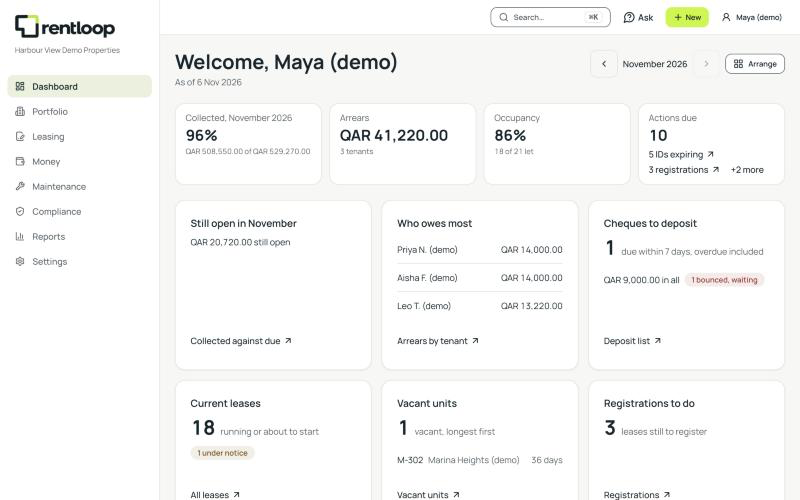
The top row, for the principal and the accountant:
| Card | What it shows |
|---|---|
| Collected | How much of this month's rent and charges has been paid, as a share and in money |
| Arrears | What tenants owe that is late, and how many tenants owe it |
| Occupancy | The share of units let, out of the units on the market |
| Actions due | Things that need someone: IDs expiring, leases to register, and more |
Below it are cards such as Who owes most, Cheques to deposit, Current leases, Vacant units, Registrations to do, IDs expiring, Maintenance, and charts of expected rent, leases ending and units by property. Every card has a link at its foot to the full list.
To see another month, use the arrows beside the month at the top right.
To put the cards in your own order:
Click Arrange.
Move a card with its up and down arrows, or drag it by its handle.
Click Done.

The order is saved for you only ("Saved for you"). Reset to the default puts the cards back.
Search
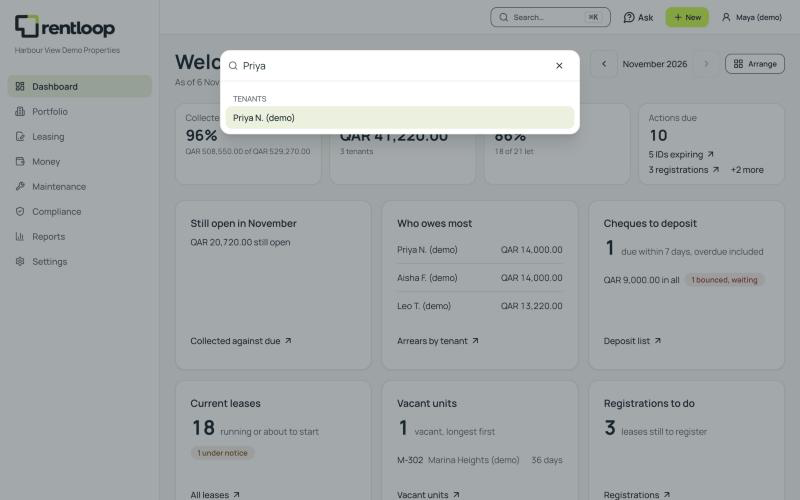
Search finds tenants, owners, properties, units, leases, receipts, cheques and maintenance requests.
Click Search… at the top, or press ⌘K on a Mac or Ctrl+K on Windows.
Type a name, a unit's code, or a lease, receipt or request number.
Click a result to open it.
Ask
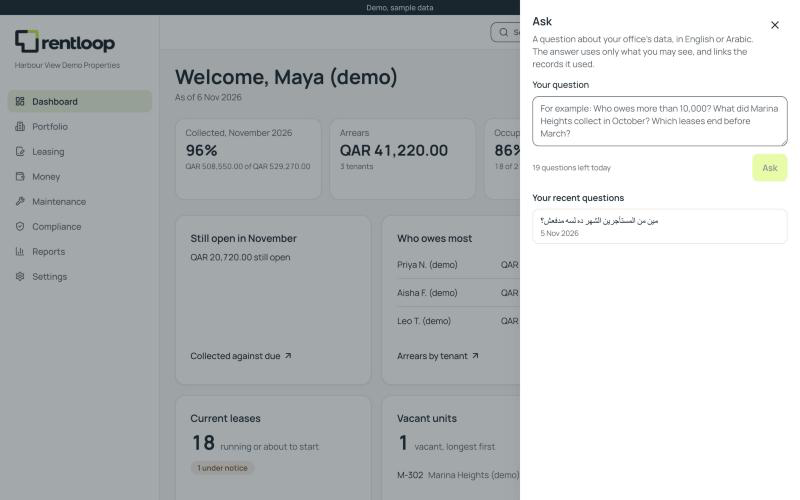
Ask answers a question about your office's data, in English or Arabic. The answer uses only what you may see, and links every record it used.
Click Ask at the top.
Type your question, for example "Who owes more than 10,000?" or "Which leases end before March?"
Click Ask. The answer takes a few seconds.
The answer shows the records it used under Records used. Click one to open it. Tell RentLoop whether the answer was right with Yes or No under Was this right?
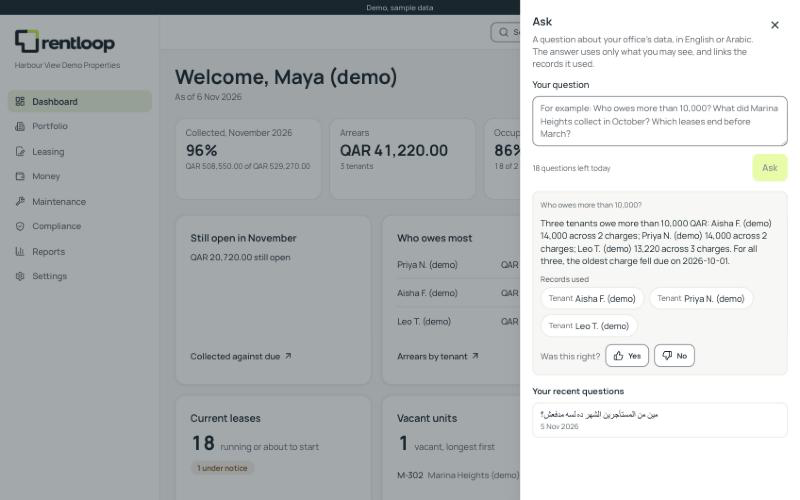
Each person, and the office as a whole, has a number of questions a day. The panel says how many you have left.
Your recent questions lists what you asked before.
The answer comes in the language you ask in.
Ask only reads. It never changes anything.
When it cannot answer from your records, it says so.
The New button
New at the top starts the three most common tasks from any page:
Record a payment (see Collecting rent)
Log a request (see Maintenance)
New lease (see Leasing)
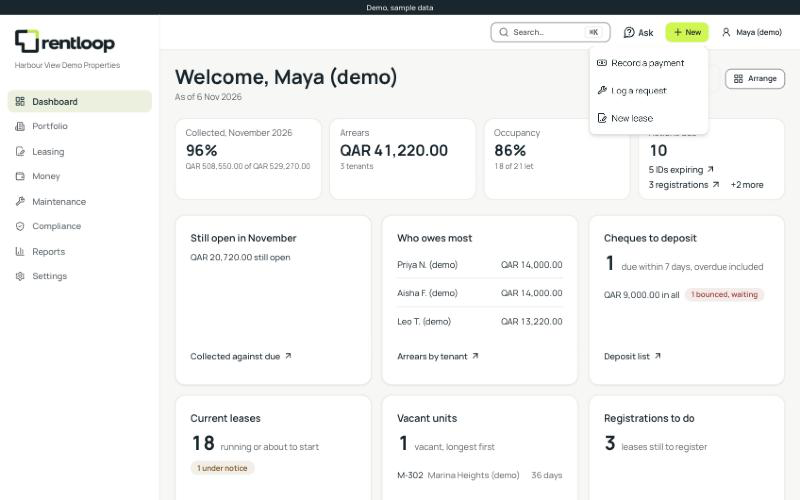
You only see the tasks your role can do.
Your account
Click your name at the top right. The menu has:
Language: English or العربية. RentLoop then opens in that language for you.
Your account: your details and password.
Sign out.
On Your account you can:
change your name in English and Arabic, your phone and your language, then click Save;
change your password: enter the current one and the new one twice, then click Change the password;
Sign out of other devices: every other browser and phone signed in as you is signed out;
under Phones with the RentLoop app, switch off a lost phone. It is signed out at once.
Your email is how you sign in. To change it, ask your office's principal.
On the demo, these details cannot be changed: the demo is shared by everyone who tries it.
On a phone
The office web app works in a phone's browser. What changes:
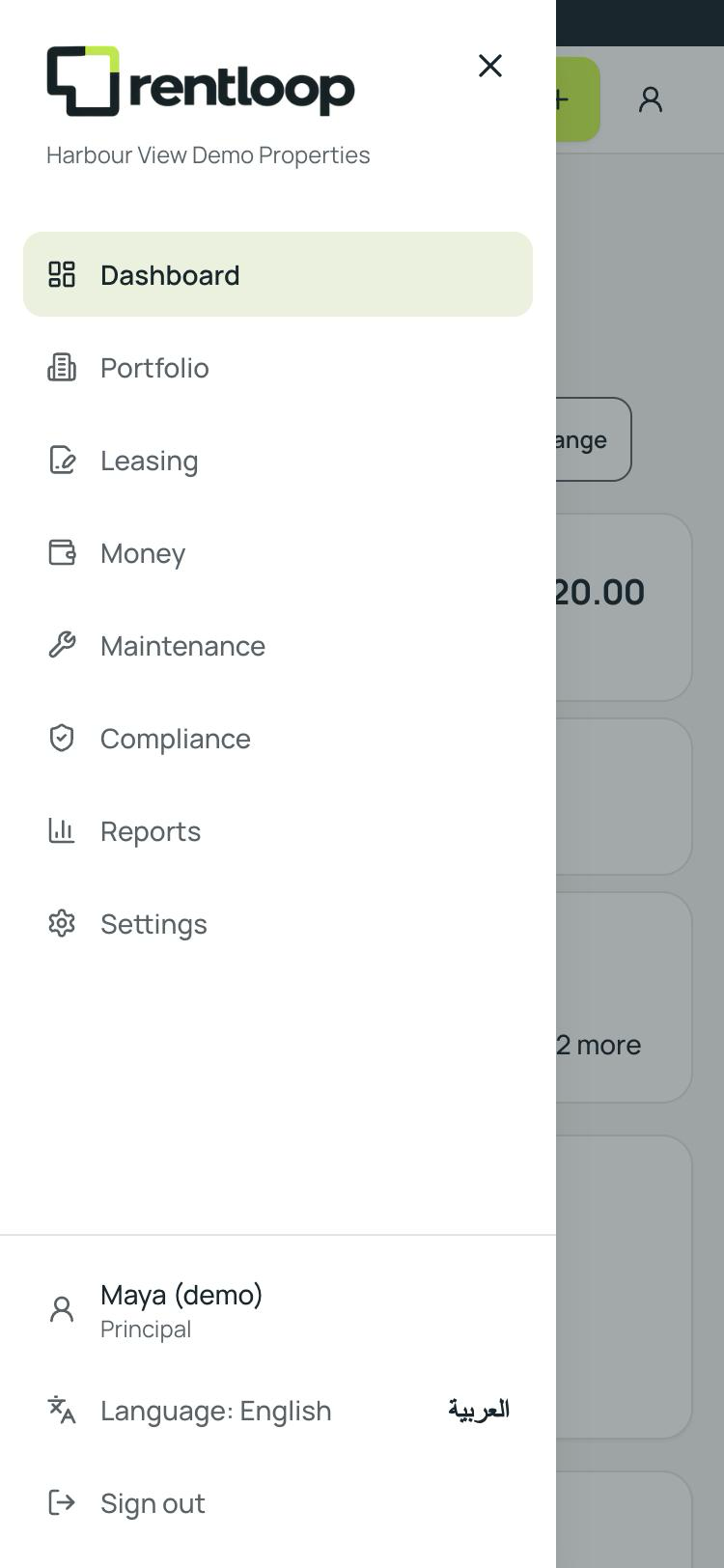
The menu folds into the ☰ button at the top left. Tap it to see the menus, your name and role, the language and Sign out.
Search, Ask, New and your account are icons at the top.
Lists become cards: each row is a card you tap to open.
| The dashboard on a phone | The menu | A list as cards |
|---|---|---|
 |  |  |